Digital classrooms have become more common nowadays. Using tablets and slim laptops to access study materials and digital classroom activities is a somewhat common sight nowadays.
However, for younger students, getting a handle on these technologies can be difficult at first. However, one thing that anyone can do is point a camera at a QR code to scan it.
Today, we are going to see how QR codes can help students access digital resources and activities, as well as other benefits.
#1: Quick Access to Study Materials
One of the biggest advantages of digital classrooms is that study materials are easier to share. Instead of printing and handing out worksheets, teachers can simply share a link to a cloud file that all students can download with ease.
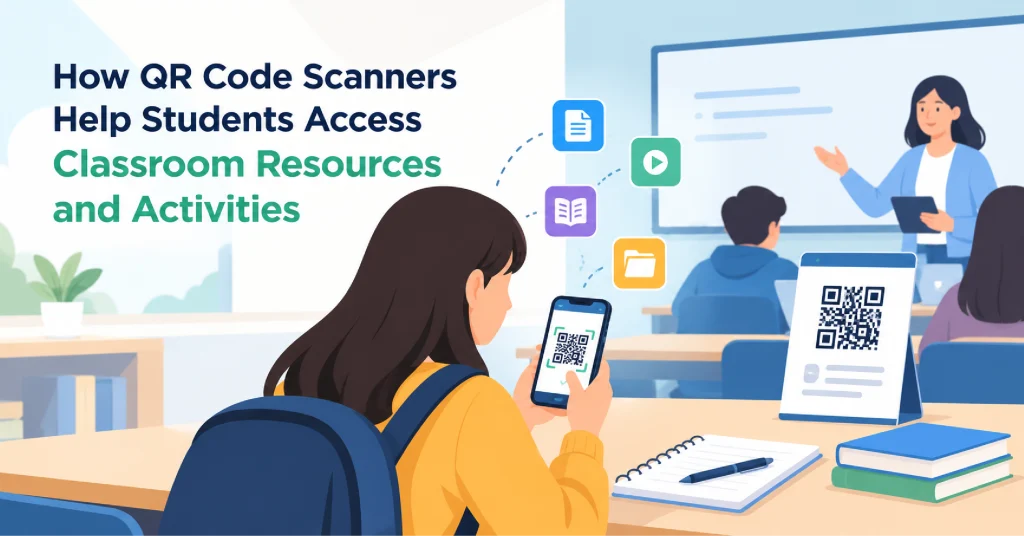
However, an easier way to do that is with a QR code. Teachers can simply display a QR code with the link in it and let students scan it directly to access the study materials themselves.
Teachers can use multiple ways to display QR codes:
- They can use a projector (if it’s available).
- They can print it out on a sheet of paper and put it up in the classroom
- They can directly share an image with the students via chat or email.
In all cases, students can use a QR code scanner to access the resources, whether that is a video link about the lifecycle of a plant, a worksheet, or a historical documentary.
#2: Making Classroom Activities More Fun
QR codes can also make activities more fun, especially in classes with younger students.
Teachers can create a treasure-hunt-type activity by placing codes around the classroom. Each code can open a question, puzzle, or small task. Students scan the codes and solve each challenge as they move around the room.
This kind of group activity can help keep students interested in the lesson and prevent boredom.
#3: Helping Students Work on Their Own
Not all students can learn at the same pace. Some take more time to learn the same concepts that others grasp in an instant. So teachers need a way to provide the slower learners with resources that allow them to study on their own at their own pace.
QR codes can help teachers solve that problem. They can use them to share extra notes, videos, or other resources that students can peruse in their own time and learn the subject matter at their own pace.
For example, a math teacher can add a code that opens a video showing how to solve a problem. Students who find the task hard can watch the video before trying again.
In this way, students can learn at their own pace.
#4: Make for An Easy Way to Give Homework
Giving handouts, assignments, and homework is necessary to encourage students to engage with their subject material on their own.
Typically, these were given as printed sheets. However, that got expensive very quickly. Instead, teachers can use digital copies that don’t need to be printed.
They can share them with students via QR codes. They can do that by either using a projector to display the QR code, or they can share it via email or class group chat.
Simple Tips for Using QR Codes in Class
QR codes are easy to use, but a few simple steps can make them more useful. Before deploying them, make sure to account for the following.
- Test each code: Make sure your QR code opens the right page before sharing it with students. Test it with your phone and an online QR scanner.
- Use clear labels: Tell students what each code will open via clear labels.
- Choose safe links: Only share trusted websites and learning materials via QR codes.
- Check access: Make sure students have permission to view the linked files.
- Offer other options: Keep printed copies or shared links for students who cannot scan codes or would rather use the physical files.
These steps help prevent delays and make classroom activities run more smoothly.
Conclusion
QR codes are an easy way for students to access resources, videos, quizzes, and activities in class.
For teachers, QR codes can be helpful for sending documents and materials without printing extra pages or forcing students to enter long web addresses (URLs).
When used with clear instructions and safe links, QR codes can make lessons easier to follow and more engaging. They are a simple tool that helps connect classroom learning with digital resources.